Wondering how to design a website without getting lost? Start with a goal, a sitemap and simple wireframes, then add brand, layout and accessibility, and test before launch. Do it in that order and the rest gets easier.
This guide is part of our look at web design basics, and it works as the practical starting point for a first site.
| Item | Value |
|---|---|
| AI-generated sitemap and first wireframes | Under 20 minutes |
| Maximum clicks to a primary conversion page | Three clicks |
| Narrowest screen to test your layout on | 320px wide |
| Time to First Byte target | Under 150ms |
| Accessibility target | WCAG 2.2, Level AA |
These figures come from Elementor’s from-scratch guide and DreamHost’s accessibility guide. They can change, so check the source before you rely on them.
Start with a goal and an audience
Before you open a design tool, define the purpose of the site. Elementor’s 8-step guide puts it plainly: before you pick a color or write a single line of code, you must start with strategy.
Write the goal as one sentence. A portfolio, a shop and a community resource all need different pages, so the sentence decides what you build.
- State what the site must achieve, such as generating leads, selling products or sharing information.
- Describe who it is for, including their problems and what they hope to do when they arrive.
- Choose how you will tell whether it worked, for example form submissions or sales.
A persona helps with the second point. Elementor describes it as a semi-fictional representation of your ideal customer based on market research and real data (source).
Elementor’s planning checklist also suggests you analyze five direct competitors to spot missing features or poor experiences you can improve (source). Learn from what they do well, and look for the gaps they leave.
Plan your sitemap and content
Your sitemap is the skeleton of the site. Elementor says to start with the mandatory basics: Home, About, Services, Contact and Privacy Policy (source).
- List the core pages every visitor expects.
- Map the path a visitor takes from landing on a page to buying or sending a form.
- Group related pages under one parent page so the structure stays easy to follow.
- Decide which pages need a repeating template, such as blog posts, team profiles or product listings.
The same guide says visitors should not need more than three clicks to reach any primary conversion page. It also says its AI Site Planner can generate sitemaps and first wireframes in under 20 minutes, which is useful as a rough draft you then edit (source).
Write your words early. Elementor advises drafting all raw text in a basic document before trying to fit it into predetermined design boxes (source). Real copy shows you how much room each section needs.
How do you wireframe a page?
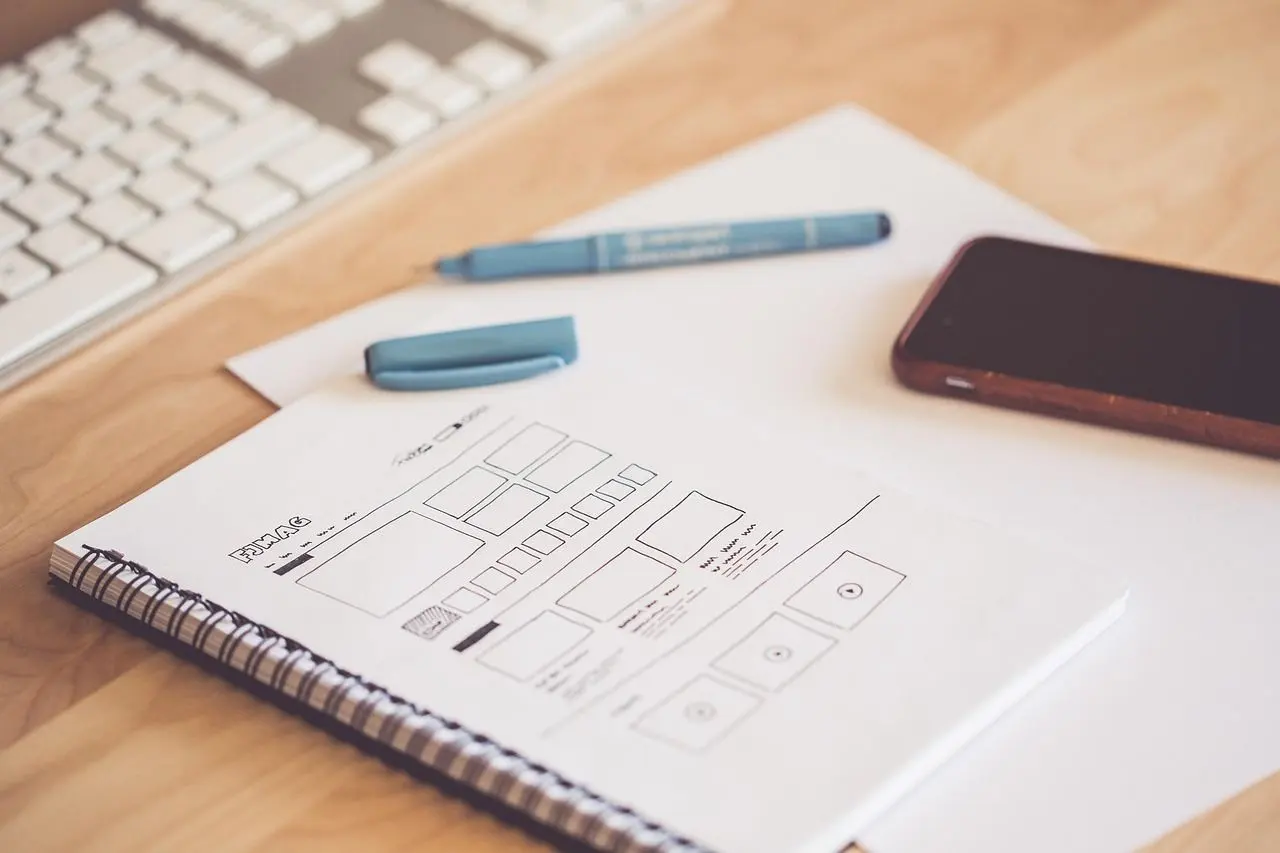
DreamHost defines a wireframe as a simplified, visual guide used in the early stages of designing a website, app, or digital product (source). It maps menus, buttons and content areas and how they relate, with the decoration stripped away.
The payoff is cheaper mistakes. DreamHost says changes on a wireframe are much simpler, faster and more affordable than fixes on a fully designed, launched site, and Elementor claims that wireframing first reduces design revisions by up to 43% (DreamHost, Elementor). Treat the percentage as a vendor claim, not a guarantee.

There are two main methods for creating wireframes: by hand or digitally (source). Paper, a whiteboard or sticky notes on a wall are enough for a first draft, and you can move to a digital tool later if others need to share it.
DreamHost says a wireframe should include the features that shape how people use the site (source). For each page, sketch:
- The layout, including where images, branding, text and video will sit.
- The navigation menu and the order of its items.
- Links and buttons that must be present.
- Footer content such as contact details and social links.
- Dynamic elements like search and dropdowns.
Finally, trace a user flow, which DreamHost describes as the path a visitor takes to complete a specific goal on your website. If that path has a dead end or a confusing step, fix it now while it costs you a pencil line.
Set a design system and build mobile first
Once the layout works, choose colors, fonts and button styles once and reuse them. Elementor explains that a design system relies on predefined variables, so every new element inherits the same rules (source). That consistency is what makes a site feel trustworthy.
Start your layouts on the smallest screen. Elementor’s advice is to design for the smallest mobile screen first, and to rethink the core logic if a complex layout fails on a 320px wide screen before you scale it up to desktop (source).
Stay close to familiar patterns. DreamHost notes that users find it easier to navigate a website that generally follows conventions, so put the menu, logo and search where people expect them (source). For the reasoning behind spacing, hierarchy and contrast, read our guide to web design principles.
Make accessibility part of the design
Accessibility is cheaper to build in than to bolt on. DreamHost’s guide describes WCAG 2.2 as a W3C Recommendation last updated in December 2024, and says Level AA is the target for most sites (source).
The same guide says WCAG has four principles, and your site must be:
- Perceivable, so visitors can notice and take in the content.
- Operable, so every part works without disruption, for example through clear navigation.
- Understandable, with concise language and uncluttered pages.
- Robust, so assistive technology such as screen readers can interpret the underlying code.
A quick win is alt text. A free checker like WAVE will flag images that are missing it (source). Before you publish, walk through our website accessibility checklist to catch the rest.
Test, launch and keep improving
Elementor’s final step is to follow a pre-launch checklist, go live, and commit to continuous improvement based on data (source). A launch is the start of the feedback loop, not the end of the project.
Check speed as part of that list. Elementor’s technical advice is to aim for a Time to First Byte under 150ms (source).
Then measure against the goal you wrote at the start. For a lead-generation site, Elementor lists conversion rate, cost per lead and the number of form submissions as the key indicators (source).
Frequently asked questions
Do I need design training to begin?
Show answer
No. DreamHost says a low-tech start with paper and pen, a whiteboard or sticky notes works well for a first wireframe, and you can upgrade to digital tools afterwards (source).
What goal should a first website have?
Show answer
Pick one main job for the site and say it in a sentence. Elementor then suggests breaking that primary goal into smaller SMART goals, so each one is specific and measurable (source).
Which accessibility level should I aim for?
Show answer
Aim for AA. DreamHost explains that WCAG has three conformance levels: A is the minimum, AA is the one most laws and regulators reference, and AAA is the strictest (source).